
Image copyright © Guide-ID
How Do Museum Beacons Work?
Have you ever been wandering through an exhibition with a museum audio guide in hand when, suddenly, the tour seems to activate on its own and the narration begins to play? It feels a little like magic. But there is technology working behind the scenes. Spoiler: it’s not Wi-Fi, and it’s not magnetic attraction either—well, not quite.
This connection between a visitor’s location and the audio narration is made possible by beacons. You may already be familiar with the term, or perhaps this is your first introduction. Either way, let’s get everyone on the same page.
In today’s chapter of our audio guide series, we’re diving into beacons. No, not bacons—sorry if we made you hungry. We’re talking about the technology that helps museum audio guides respond intelligently to a visitor’s location.
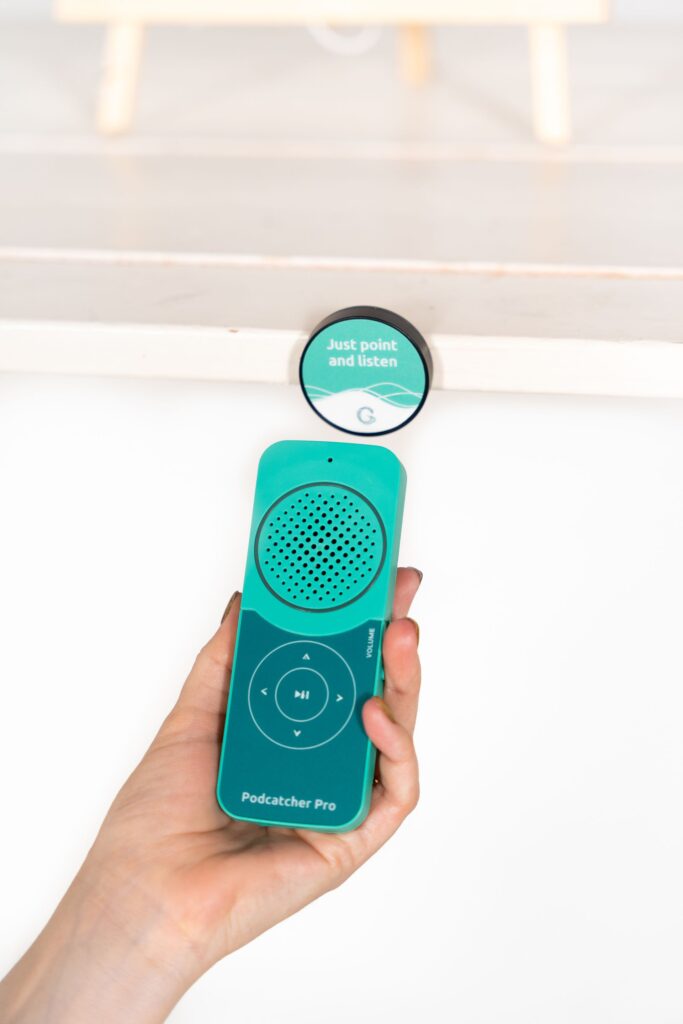
Beacons are small wireless devices that transmit a signal to nearby compatible devices. Think of them as tiny digital lighthouses: instead of sending out light, they send out a digital “ping” that an audio guide such as the Podcatcher Pro can detect. When the Podcatcher receives that signal, it can trigger an action, such as playing an audio track about an exhibit, synchronising with video, or activating content in the visitor’s selected language.
Meet Our Beacons
Now that you know the basics, let’s explore the different types of beacons we work with. Depending on the layout, goals, and environment of your exhibition, you can choose the option that best fits your visitor experience.
Beacon Lite – Tap and Listen
Beacon Lite is activated when a visitor points the Podcatcher towards it to trigger the audio at a specific tour stop. It uses Bluetooth Low Energy (BLE) technology to transmit a signal that the Podcatcher detects, making it a simple and intuitive solution for self-guided tours.
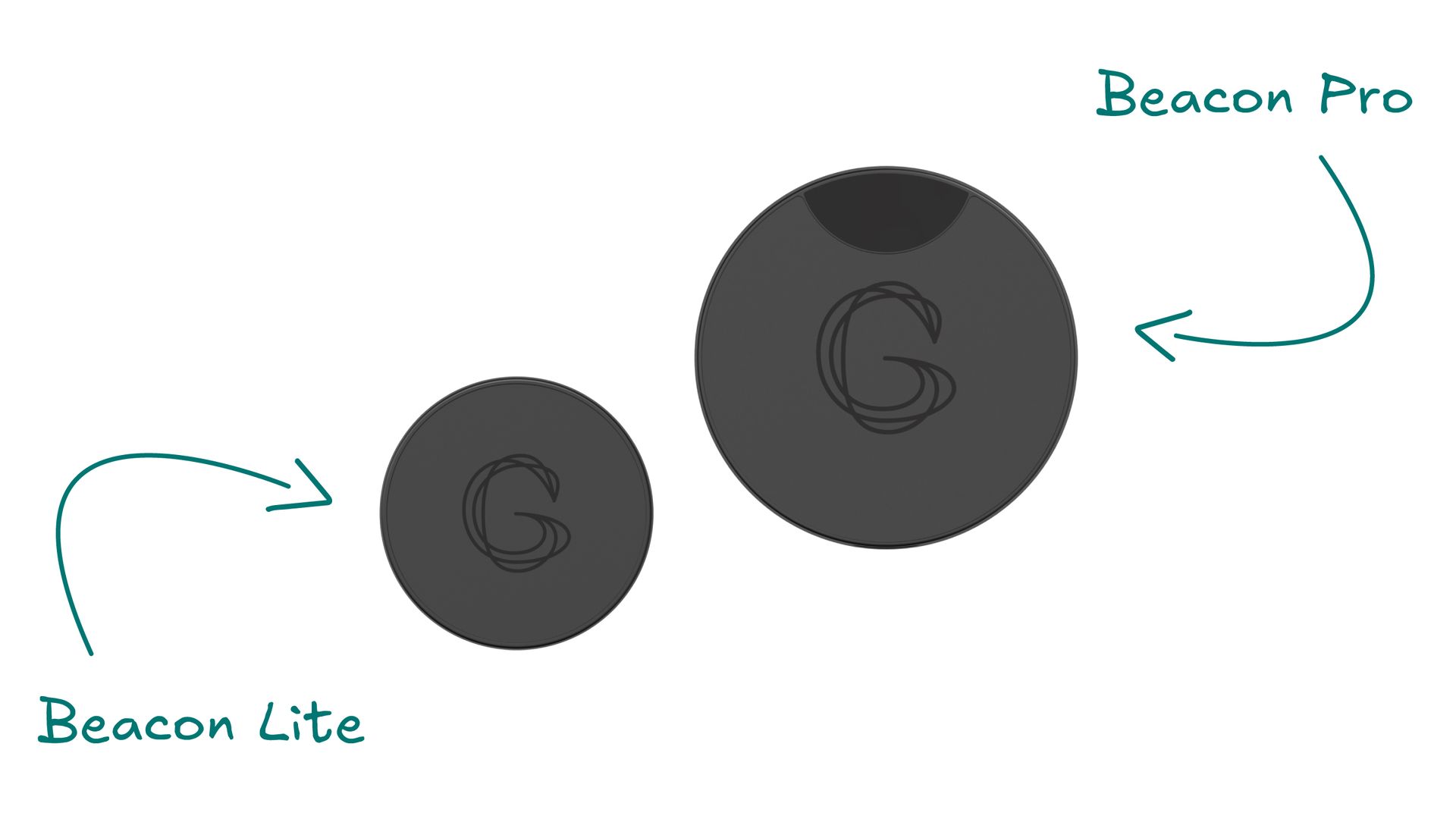
Image copyright © Guide-ID
Beacon Pro
Beacon Pro takes the experience a step further. When the Podcatcher detects the beacon, it can automatically trigger a specific audio tour or story connected to the nearby point of interest. The Podcatcher can communicate with Beacon Pro at a short range of approximately 15 centimetres and across an extended range of up to 8 metres, allowing the system to support different types of automatic visitor experiences.
Beacon Pro Waterproof
Beacon Pro Waterproof is essentially the outdoor-ready sibling of Beacon Pro. As its name suggests, it is designed to withstand wet conditions, making it a strong option for outdoor exhibitions and visitor routes in spaces such as gardens, heritage sites, and zoos.
How Does Automatic Triggering Work?
Automatic triggering allows audio to start or stop as a visitor enters or leaves a defined area. Depending on the setup, the experience can even respond to a visitor’s position, creating a smooth and hands-free connection between movement and storytelling.
And when you synchronise audio with video, the visitor experience can go to another level.
Our AV sync feature allows audio to play in precise synchronisation with videos displayed on screens. Visitors hear the narration through the Podcatcher Pro while watching the video, preventing competing audio from overlapping or disturbing other people in the space—especially useful when several screens are installed in the same room.
It also means visitors can experience the same video in their preferred language without changing the visual content on screen. Multiple visitors can take part at the same time, each following the experience through their own Podcatcher Pro.
So, no more half-seen videos. Even when visitors enter midway through a presentation, the audio guide can help them connect with exactly what is happening on screen.
A World Full of Possibilities
When technology is used thoughtfully, the possibilities are nearly endless. Our clients demonstrate this every day, and we’re proud to share some of the ways they have integrated beacons into their exhibitions and visitor experiences.
Museum of Lost Tales, Zagreb (Croatia)
The Museum of Lost Tales uses 145 beacons—yes, you read that correctly. A significant part of the exhibition revolves around storytelling connected to the details and decoration throughout the space. With thousands of individual elements supporting the narrative, visitors can spend more than four hours exploring the audio experience.
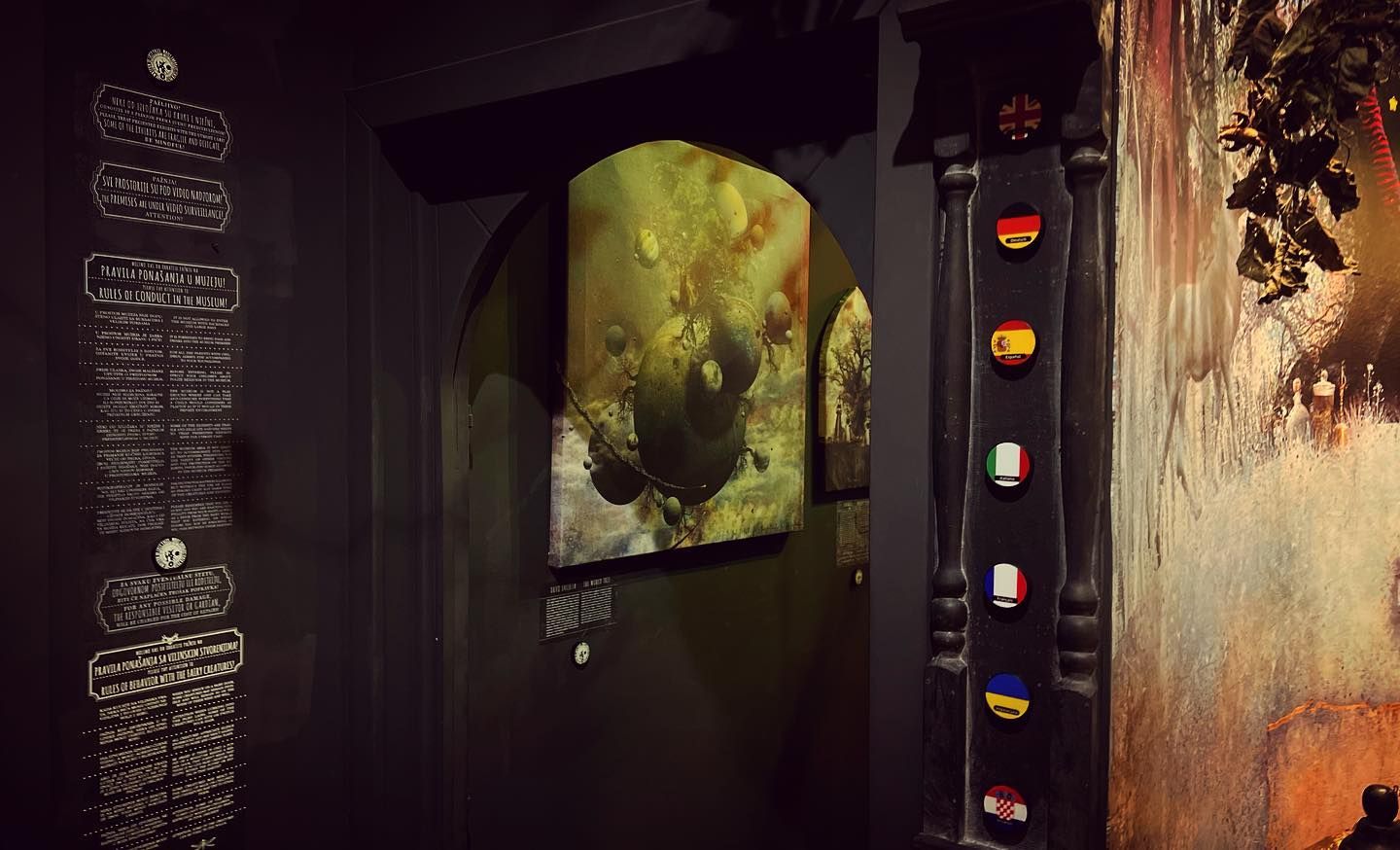
Image copyright © Guide-ID
CODA Museum, Apeldoorn (The Netherlands)
As part of its Paper Art exhibition, CODA Museum created a dedicated tour for blind and visually impaired visitors. Using automatic triggering with Beacon Pro, guests can move through the exhibition without needing to scan individual stops. Instead, narration activates automatically as they enter different areas, allowing them to explore at their own pace.
Grote Kerk, Naarden (The Netherlands)
In collaboration with XPEX, Big Orange, Coat 14, and Guide-ID, Grote Kerk created the Hemel op aarde (Heaven on Earth) tour. Coat 14 designed custom furniture with Guide-ID Beacon Pros hidden inside. For example, when visitors sit down on a bench, the automatic trigger activates and the audio begins to play. It is a simple but powerful way to create a seamless and immersive experience throughout the tour.
Whether you are working with audio, video, indoor installations, or outdoor visitor routes, beacons open up a fresh layer of interaction for exhibitions. They can help transform technology from something visitors actively operate into something that simply responds to the way they move through a space.
And no worries—the Bluetooth signals between the beacons are not plotting against your health and definitely are not responsible for your headaches. Internal joke intended.
Wrapping It Up
We hope this article has sparked your curiosity, cleared up some questions about how wireless beacon technology works, and made you feel more confident about using it in your own exhibition.
Want to learn more about integrating beacons into your space? Contact Guide-ID. We’d love to help you explore the possibilities and bring your next project to life.